Your release plan posts itself — on your own Instagram.
Connect your account once through the official Instagram, TikTok or YouTube login. For every release, Autopilot turns countdown stories, the out-now reel and a recap into finished videos and publishes them on schedule. You approve the plan once and can stop any single post until shortly before it goes out.
BETA · free during the test phase · for invited artists only
Three steps. Set up once.
Autopilot works with releases you submitted through OGRECORDS™. It needs a cover, the audio and a release date — it builds the videos itself.
Connect your account
Sign in through the official Instagram, TikTok or YouTube login and confirm there what we may do. You type your password only on the platform itself — we never see it.
Review the plan
For each release Autopilot proposes a fixed set of posts: countdown stories 7, 3 and 1 day before, an out-now story and out-now reel on release day, a recap reel a week later, plus a TikTok draft and a YouTube Short. You can watch every video beforehand and edit every caption.
Approve once
You approve the plan once. The day before each post you get a message saying what goes out tomorrow — with a button to stop it. Every post can be stopped individually until its slot.
We never see your password. We don't read your messages.
The connection runs through the platform's official sign-in. It shows you exactly which permissions we ask for — and these are the only ones:
What Autopilot may do
- Read your profile (name, username, profile picture) so we show the right account
- Publish posts on your behalf — only the posts from the plan you approved
- Read the reach of the trial reels (views, shares, saves) so the hook test can pick the best snippet
What it may never do
- Read or send direct messages
- Read, write or delete comments
- Fetch your follower list
- Change your profile, bio or settings
- Post anything that is not in your approved plan
On Instagram and TikTok we don't even request message or comment permissions — without them we technically cannot read your DMs. On YouTube we only request “upload videos” and “view your channel”.
You can end the access yourself at any time: with “Disconnect” in Autopilot, or directly in the app settings of Instagram (Settings → Apps and websites), TikTok or your Google account. After that, Autopilot can no longer publish anything on that platform.
The access tokens the platform issues after your consent are stored encrypted. We only use them for requests to that platform and delete them immediately when you disconnect.
What goes out around your release
Every post is a finished vertical video (9:16) with your cover, a snippet of the song, a countdown and your ogr.fm link. You choose which building blocks you want.
- 14 days before · optional
Hook test
Three trial reels with three different 15-second snippets, shown only to non-followers. After 72 hours the snippet with the most views, shares and saves wins.
- 7, 3 and 1 day before
Countdown stories
A 15-second story with a countdown, your ogr.fm link and a QR code — burned right into the video.
- 3 days before
TikTok teaser
Lands as a draft in your TikTok inbox. You add the official sound there and tap post.
- Release day, 10:00
Out-now story
The release-day story, with your ogr.fm link and QR code in the video.
- Release day, evening
Out-now reel, TikTok video and YouTube Short
The reel on Instagram, the TikTok draft and the Short on YouTube — at the time you set (default 18:00).
- 7 days after
Recap reel
A reel one week after release that brings the song back into the feed.
More than a posting calendar
Autopilot knows your release: date, cover, audio and smart link come straight from your catalogue. Nothing to enter twice.
Hook test with trial reels
Instagram can show reels to non-followers first. Autopilot uses that to test three snippets of your song and takes the strongest for all later posts. Your followers never see the tests.
Collab reels with OGRECORDS™
If you want, the OGRECORDS™ label account invites you as a collaborator on its reels about your release. Accept, and the reel shows up on both profiles.
Downloadable content kit
Every video in your plan can be downloaded — even without a connected account. You then add the music sticker or sound yourself in the app.
Countdown, link and QR in the video
The official API allows no stickers (link, countdown, music). So we burn the countdown, your ogr.fm link and a QR code directly into the video.
Approve once, stop any time
The day before each post you get a message with “View” and “Stop”. Every post can be stopped individually until it goes out — or you pause the whole campaign.
Only real publications
We only show “Published” once the platform has confirmed the post. If something fails, you see why — instead of a green tick that isn't true.
One plan per release, every video up front
Screenshots from the dashboard of a test account.
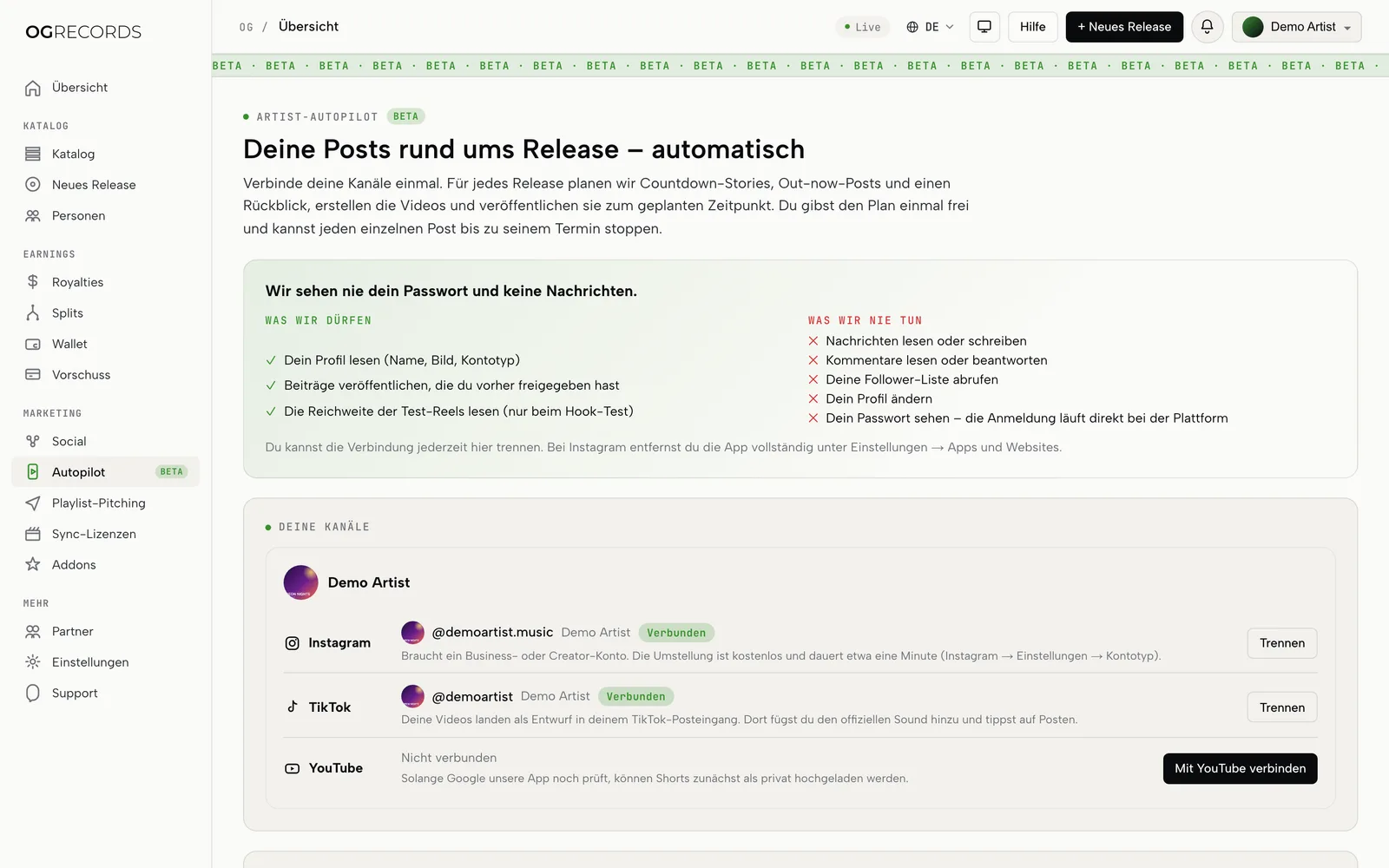
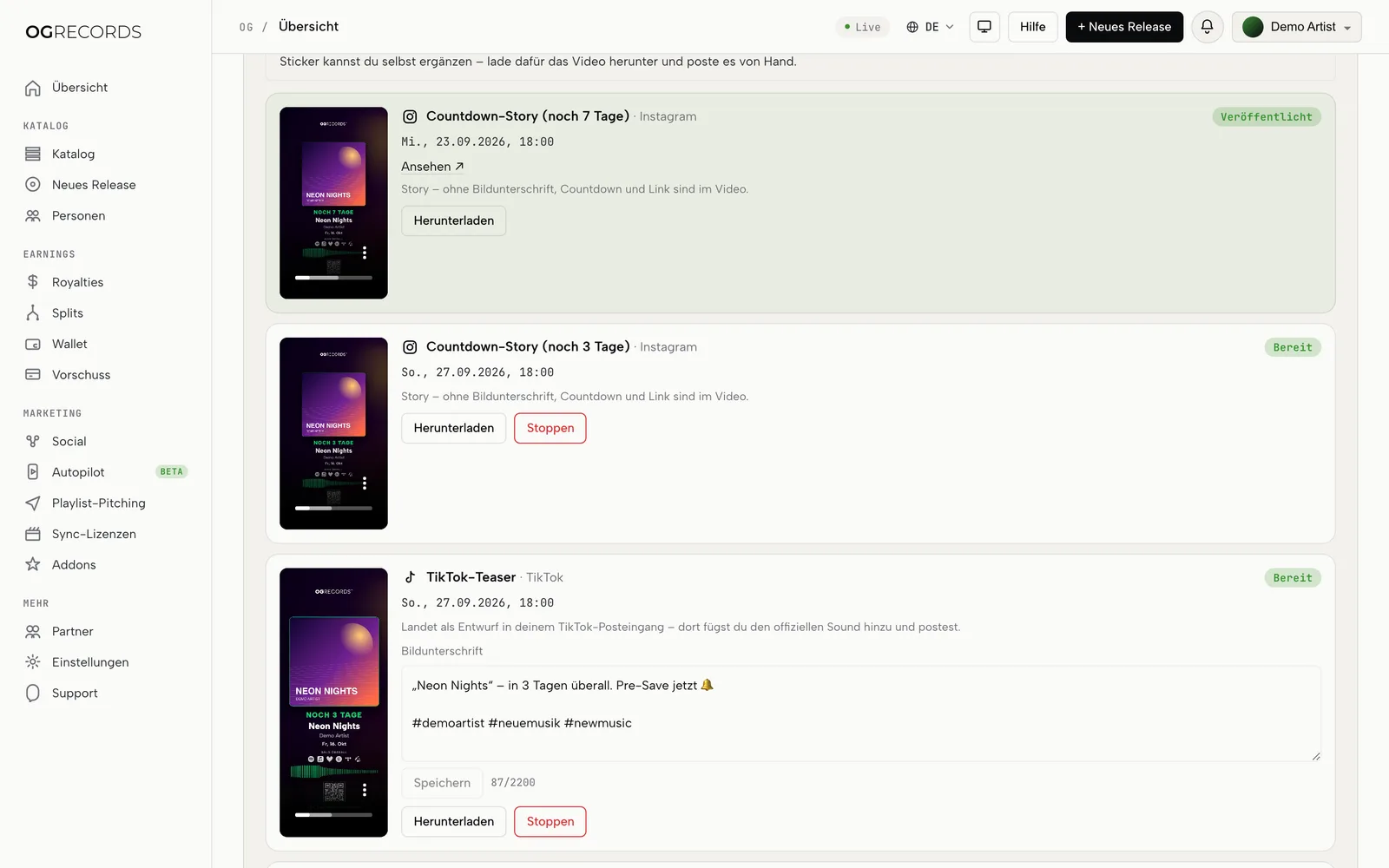
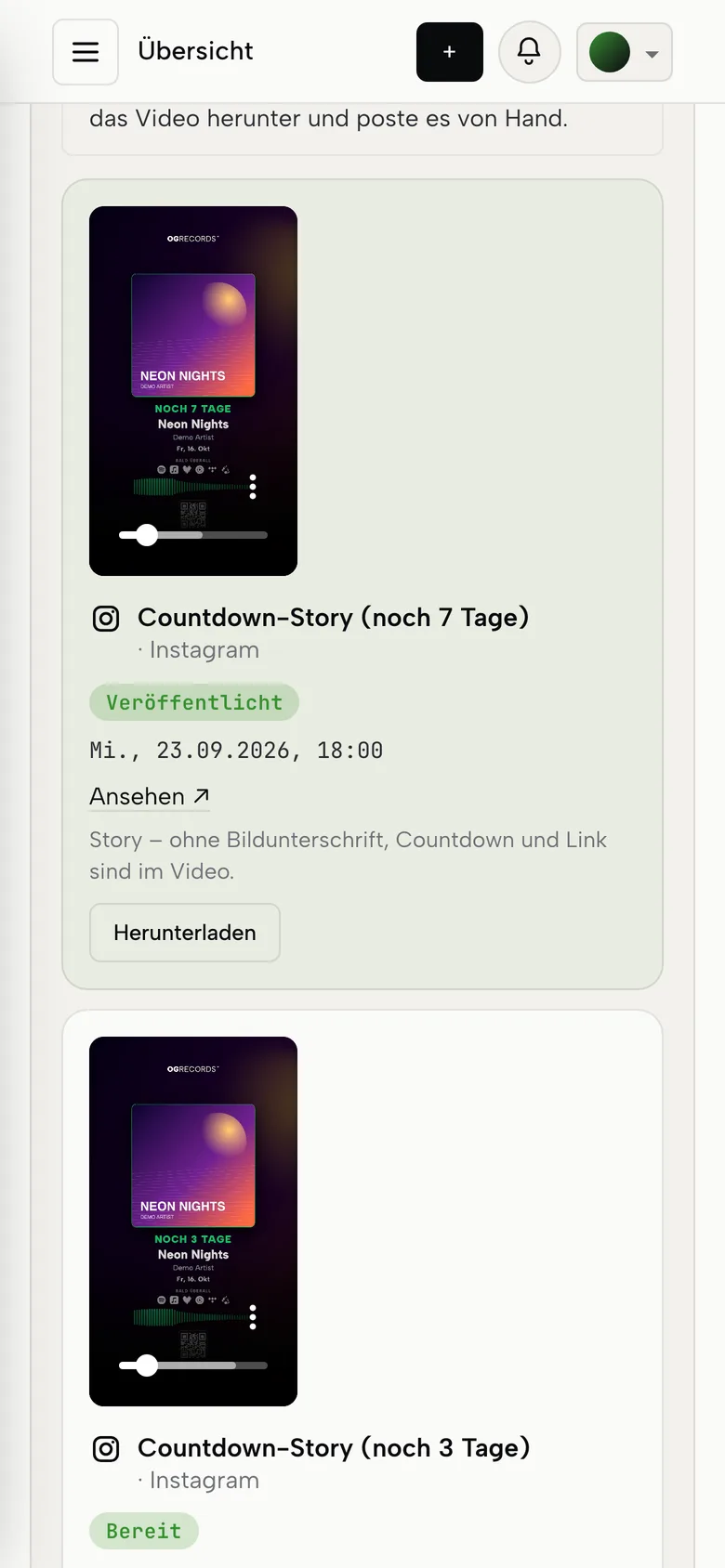
Sample data. The interface may still change during the BETA.
What Autopilot can't do
Better now than on release day.
Instagram needs a Business or Creator account
Private accounts can't be connected through the official API. Switching is free and takes a minute (Instagram → Settings → Account type and tools).
No stickers through the API
Instagram's API can't add link, countdown or music stickers. That's why the countdown, link and QR are part of the video; add the music sticker yourself if you want one.
TikTok: draft instead of direct post
Your TikTok video lands as a draft in your TikTok inbox. You add the official sound there and publish it yourself.
YouTube may keep it private
Until Google has reviewed our app, YouTube may set uploaded Shorts to private. You can then make them public yourself in YouTube Studio.
No guaranteed reach
Autopilot makes sure you post on time and consistently. How many people see the posts is up to the platform's algorithm — nobody can promise that.
BETA, invite only
Autopilot is in a closed test phase. Features may change and there may be bugs.
Automate release promo on Instagram, TikTok and YouTube
Many releases don't fall short because of the music but because of the week before: stories forgotten, the countdown too late, one rushed post on release day. Artist Autopilot takes that part off your plate. It knows your release's date, cover, audio and smart link from your OGRECORDS™ catalogue and plans a fixed sequence of posts from it — from the countdown a week before to the recap a week after.
Posts go out on your own account, not on a label channel. The connection uses the official APIs of Instagram (Meta), TikTok and YouTube (Google). You sign in directly with the platform, confirm the requested permissions and can revoke them there at any time. Messages, comments and follower lists are not part of it.
Every post is a finished vertical video with your cover, a song snippet, a countdown and a QR code. All videos are available as a downloadable content kit — even if you don't connect an account and prefer to post yourself. The optional hook test shows three snippets of your song to non-followers first and uses the strongest for all later posts. How much reach a post gets is ultimately up to the platform; Autopilot makes sure nothing gets forgotten.
Frequently asked questions.
Your next release posts itself.
Artist Autopilot is in a closed BETA. If you've been invited, you'll find it in your dashboard. No OGRECORDS™ account yet? Sign up for free and request access.